
Industrial High-Precision Temperature Monitoring on Production Lines in 10 minutes with MSX-E3211 and Python
1. Challenge
Industrial production lines like food processing, chemical plants, plastics extrusion, and metal treatment require continuous, high-precision temperature monitoring across multiple zones. Curing ovens, cooling tunnels, extrusion dies, and chemical reactors all demand accurate, real-time temperature data to ensure product quality and process safety.
Integrators and Machine Builders need a fast, open, and cost-effective approach that integrates seamlessly with modern data analysis tools.
2. Solution
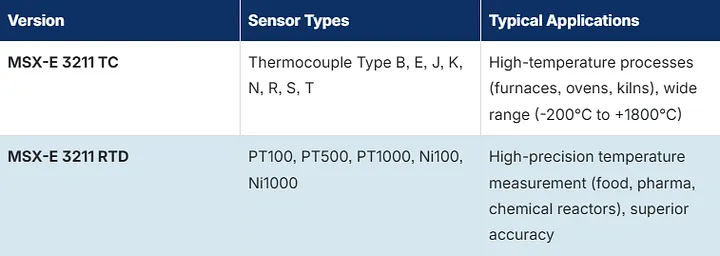
La ADDI-DATA MSX-E3211 module provides 16 channels of industrial-grade temperature measurement over Ethernet. Available in two versions, the module covers virtually any industrial temperature monitoring scenario:
- RTD (PT100/PT500/PT1000) for high-precision applications
- Thermocouple (Type B/E/J/K/N/R/S/T) for wide temperature ranges
Combined with our open-source Python SOAP API, users go from unboxing to live data acquisition in under 5 minutes without proprietary software required.
Key features:
- 16 temperature channels per module
- RTD and Thermocouple versions available
- Industrial Ethernet connectivity (SOAP over HTTP)
- Open Python API
- Auto-detection of sensor type (RTD vs TC)
- Compatible with the full Python ecosystem: matplotlib, pandas, CSV, cloud APIs
3. Five-Minute Quick Start
Step 1: Configure MSX-E
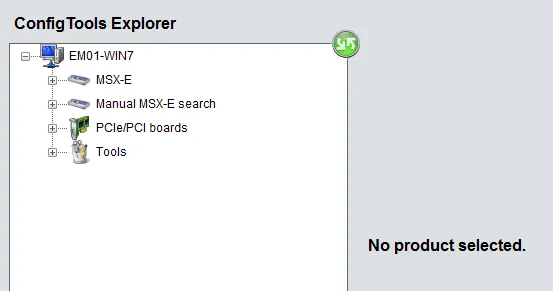
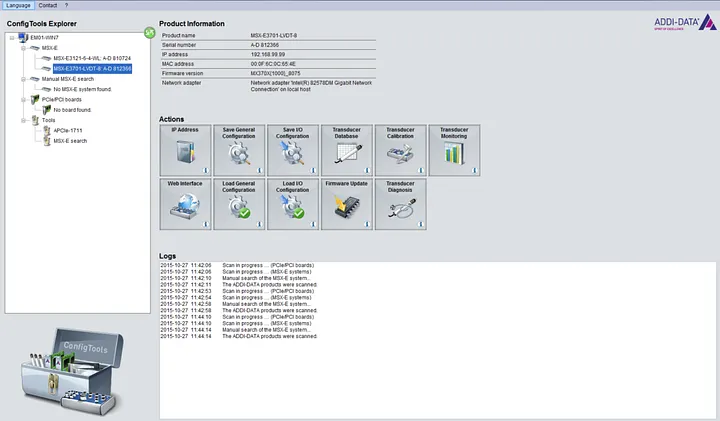
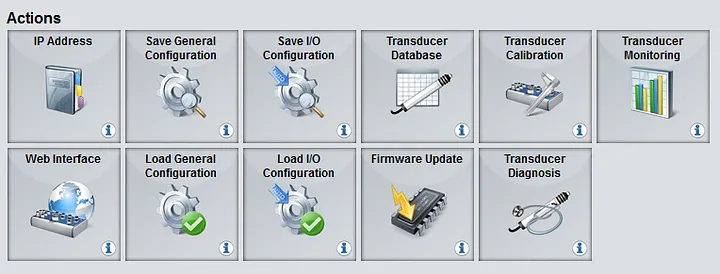
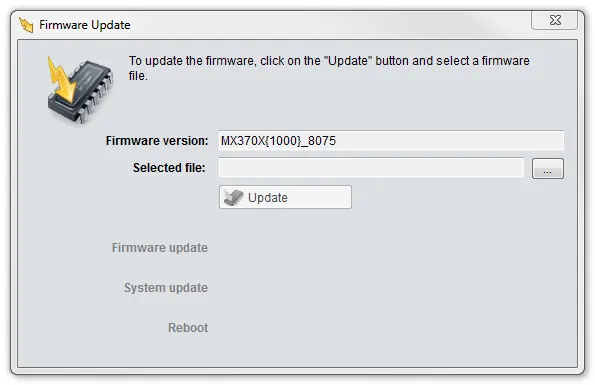
Connect the MSX-E3211 to your Ethernet network. The module ships with a default IP address. Configure it to match your network using the ADDI-DATA Config Tools.
1. Automatic search for the MSX-E systems
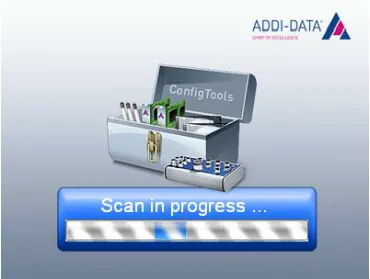
2. Overview ConfigTools window
3. Action/available functions of the MSX-E system
4. Firmware update
5. System configuration through web interface
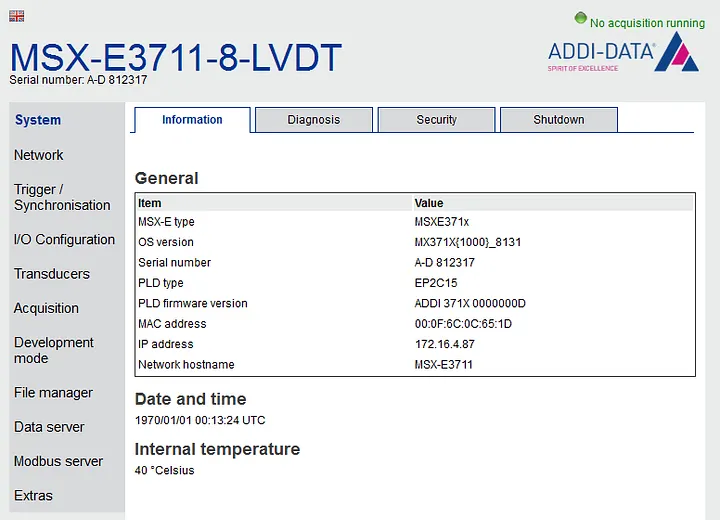
6. ConfigTools for acquisition systems with inductive transducers
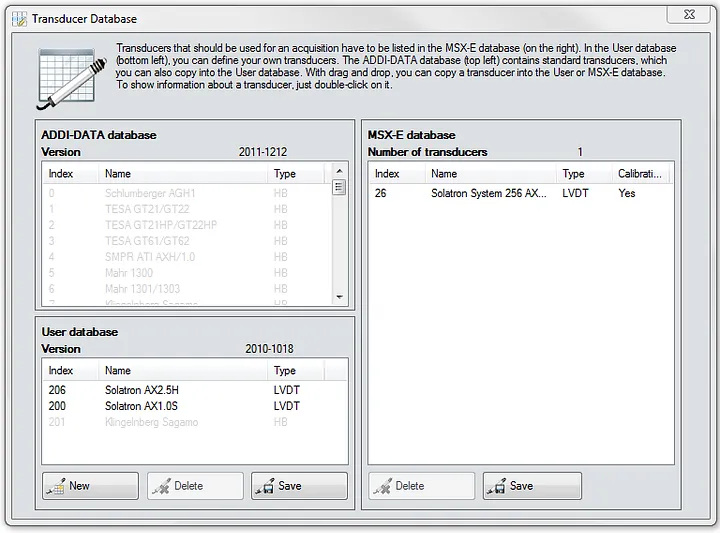
Step 2: Install Zeep for SOAP
Install the Python SOAP client library:
pip install zeepStep 3: First Reading
Run the following Python code to read temperatures from all 16 channels:
"""Sample: Temperature polling on the MSX-E 3211.
Demonstrates:
  - Querying the number of temperature channels
  - Auto-detecting sensor class (RTD, TC, or NTC) per channel
  - Configuring channels with appropriate types
  - Starting auto-refresh acquisition
  - Polling temperature values at regular intervals
  - Stopping acquisition
Works with both thermocouple (TC) and RTD versions of the MSX-E 3211.
"""
import sys
import time
sys.path.insert(0, "../..")
from msxe_api import MSXE3211API
from msxe_api.msxe import MSXEError
from msxe_api.msxe3211 import TC_TYPE_K, RTD_PT100, REFRESH_UNIT_MS
MSXE_ADDRESS = "192.168.99.99"
MSXE_PORT = 5555
POLL_INTERVAL_S = 1.0   # seconds between each poll
POLL_COUNT = 10          # number of readings
def main():
    msxe = MSXE3211API(MSXE_ADDRESS, MSXE_PORT)
    # ── Auto-detect sensor class and configure all channels ──────
    counts = msxe.configure_all_channels(tc_type=TC_TYPE_K, rtd_type=RTD_PT100)
    print(f"Configured: {counts}")
    # ── Show current configuration ───────────────────────────────
    num_channels = msxe.temperature_get_number_of_channels()
    msxe.print_channel_configuration()
    # ── Start auto-refresh (all channels, 500 ms refresh) ───────
    channel_mask = (1 << num_channels) - 1
    msxe.auto_refresh_start(
        channel_mask=channel_mask,
        refresh_time=500,
        refresh_time_unit=REFRESH_UNIT_MS,
        force_start=1,
    )
    print(f"\nAuto-refresh started (mask=0x{channel_mask:04X}, 500 ms)")
    # ── Poll temperature values ──────────────────────────────────
    print(f"\nPolling {POLL_COUNT} readings, {POLL_INTERVAL_S}s apart:")
    print("-" * 60)
    header = "  Time  |" + "".join(f"  Ch{ch:2d}  " for ch in range(num_channels))
    print(header)
    print("-" * 60)
    for i in range(POLL_COUNT):
        ts_low, ts_high, counter, values = msxe.auto_refresh_get_values(blocking=1)
        row = f" {i * POLL_INTERVAL_S:5.1f}s |"
        for ch in range(min(num_channels, len(values))):
            row += f" {values[ch]:6.1f}°"
        print(row)
        time.sleep(POLL_INTERVAL_S)
    # ── Stop auto-refresh ────────────────────────────────────────
    msxe.auto_refresh_stop()
    print("\nAuto-refresh stopped")
if __name__ == "__main__":
    try:
        main()
    except KeyboardInterrupt:
        print("\nInterrupted — stopping acquisition")
        msxe = MSXE3211API(MSXE_ADDRESS, MSXE_PORT)
        msxe.auto_refresh_stop()
    except MSXEError as e:
        print(f"MSXE error: {e}")
    except Exception as e:
        print(f"Connection error: {e}")
Step 4: Live Dashboard
Get below our Live Dashboard sample on Github:
Install matplotlib and run the dashboard sample for real-time visualization:
pip install matplotlib
python sample_temperature_dashboard.py
A live chart window opens showing all 16 temperature channels updating in real time. Close the window to stop acquisition.
Step 5: Data Logging
Get below our Live Dashboard sample on Github:
Log all channels to CSV for analysis in Excel, pandas, or any BI tool:
python sample_temperature_csv_logger.pyOutputs a timestamped CSV file with one row per reading and one column per channel, ready for import into any analysis tool.
4. Architecture
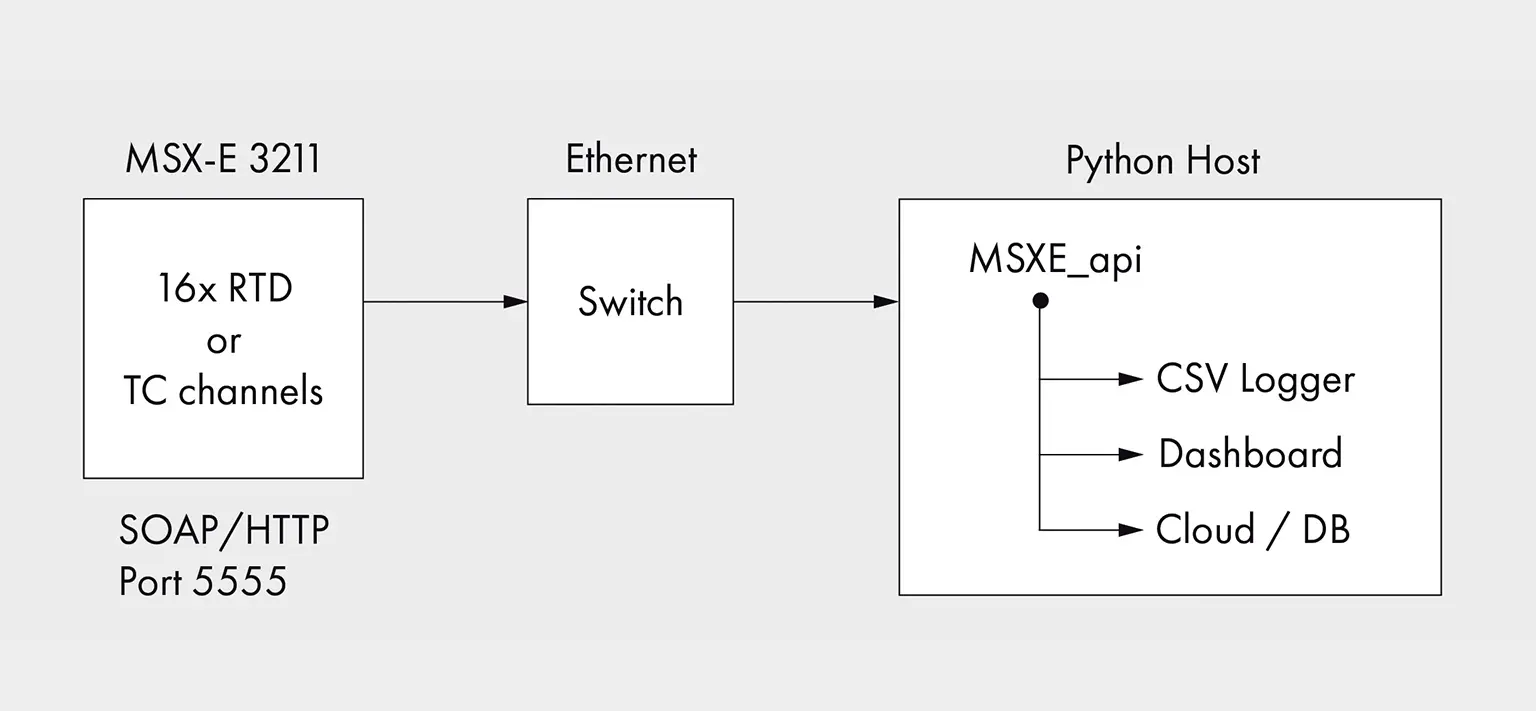
The system architecture is simple and modular:
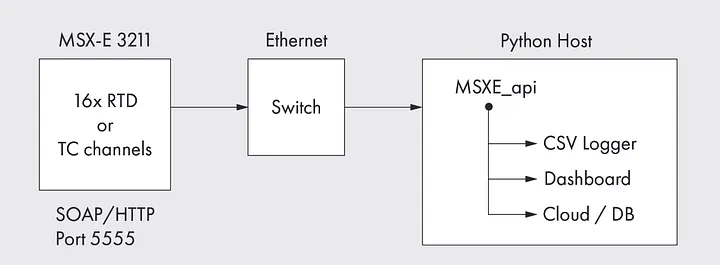
Multiple MSX-E 3211 modules can be connected to the same network. Each module is addressed by its IP address. The Python API handles SOAP communication transparently.
5. API Highlights
The Python API is designed for simplicity. Here are the key operations:
- configure_all_channels(): Auto-detect RTD or TC and configure all 16 channels in one call
- auto_refresh_start() / get_values() / stop(): Continuous acquisition with configurable refresh rate
- temperature_diagnostic(): Check sensor health per channel
- print_channel_configuration(): Display current configuration at a glance
All operations raise MSXEError with clear error codes on failure. The API supports both RTD and Thermocouple versions with the same code.
6. Supported Configurations
7. Benefits
- Open API: No proprietary software, no license fees
- Python Ecosystem: Integrate with pandas, matplotlib, Grafana, InfluxDB, or any cloud platform
- Fast Integration: From boot to live data in 5 minutes
- Industrial Grade: DIN-rail mount, extended temperature range, 16 channels per module
- Flexible: RTD for precision, Thermocouple for high temperatures, same API
- Scalable: Connect multiple modules on the same Ethernet network
8. Get Started
Download the Python API and samples from our GitHub repository:
- GitHub: https://github.com/ADDI-DATA/msxe-samples
- ConfigTools: https://www.addi-data.com/fr/configtools
- Documentation: See README.md in the repository for full API reference
For technical support, please contact: [email protected]
Souhaitez-vous en savoir plus ?
If you want to learn more about the MSX-E3211, you can find additional information directly on the product page.
SOLUTIONS ADDI-DATA
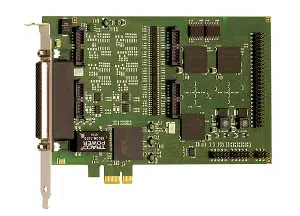
Cartes d'acquisition
• Pour différents types de signaux
• Haute précision
• Robuste et résistant aux interférences
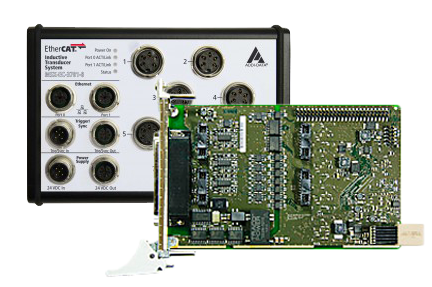
Systèmes temps réel
• EtherCAT et Profinet
• Systèmes Linux avec extension temps réel
• Cartes PC avec pilotes RTX temps réel
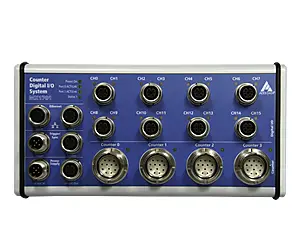
Systèmes Ethernet
• Connexion directe des capteurs
• Connexion directe des capteurs
• Pour une utilisation sur le terrain, degrés de protection jusqu’à IP 67
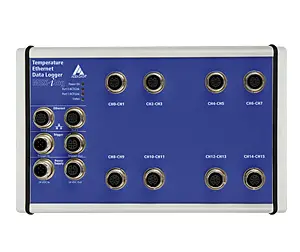
Enregistreurs de données
• Enregistrement de longue durée de nombreux types de signaux
• Configuration du point de mesure sans connaissances en programmation
• Visualisation des données en direct
Solutions sur mesure
La meilleure solution est souvent une solution sur mesure. En tant que fabricant, nous pouvons vous proposer des solutions adaptées à vos besoins de manière rapide et efficace. C'est avec plaisir que nous vous conseillons afin de trouver la solution idéale pour votre application. Nous procédons également aux adaptations ou aux développements nécessaires.
Contactez-nous !